You uploaded your passport, took the selfie, saw the green "verified" screen, and then an email told you your account had been removed. No reason given. No dashboard to appeal from. That exact story has filled r/alignerr this month, and it's why I wrote this guide to Alignerr Persona verification and ID checks on AI training platforms in general.
Here's the short version. A pass from Persona and a kept account are two different things. Persona confirms that your document is real and that your face matches it. The platform then runs its own rules on top: duplicate accounts, profile data, location, country eligibility. You can pass the first and still fail the second.
In this guide I'll walk you through why accounts get removed right after a "successful" check, the most common reasons Persona verification fails in the first place, a step-by-step checklist to pass the first time, and exactly what to do (and what not to do) when you've already been removed. I've kept it practical, built from help-center pages and real threads from people who went through it.
What Is Alignerr Persona Verification (and Which Platforms Use ID Checks)?
Alignerr Persona verification is the identity check Alignerr runs through Persona, a third-party ID service, to confirm you're a real person who matches the profile you applied with. Alignerr doesn't look at your passport photo itself in most cases. Persona collects the document and selfie, scores them, and passes a result back.
Most AI training platforms do something similar. These are contractor gigs where you help train AI models: data annotation (labeling text, images or audio), rating chatbot answers, writing prompts, and RLHF work (reinforcement learning from human feedback, which just means humans scoring model outputs so the model learns what "good" looks like). Clients pay for verified, unique humans, so the platforms take identity seriously.
What Persona actually checks (document + live selfie + data match)
A Persona identity verification usually has three parts:
- Document capture. You photograph the front (and sometimes back) of a government-issued ID: a passport, driver's license or national ID card. Persona checks the security features, the text fields, the expiry date and whether the image looks like a live capture or a screenshot.
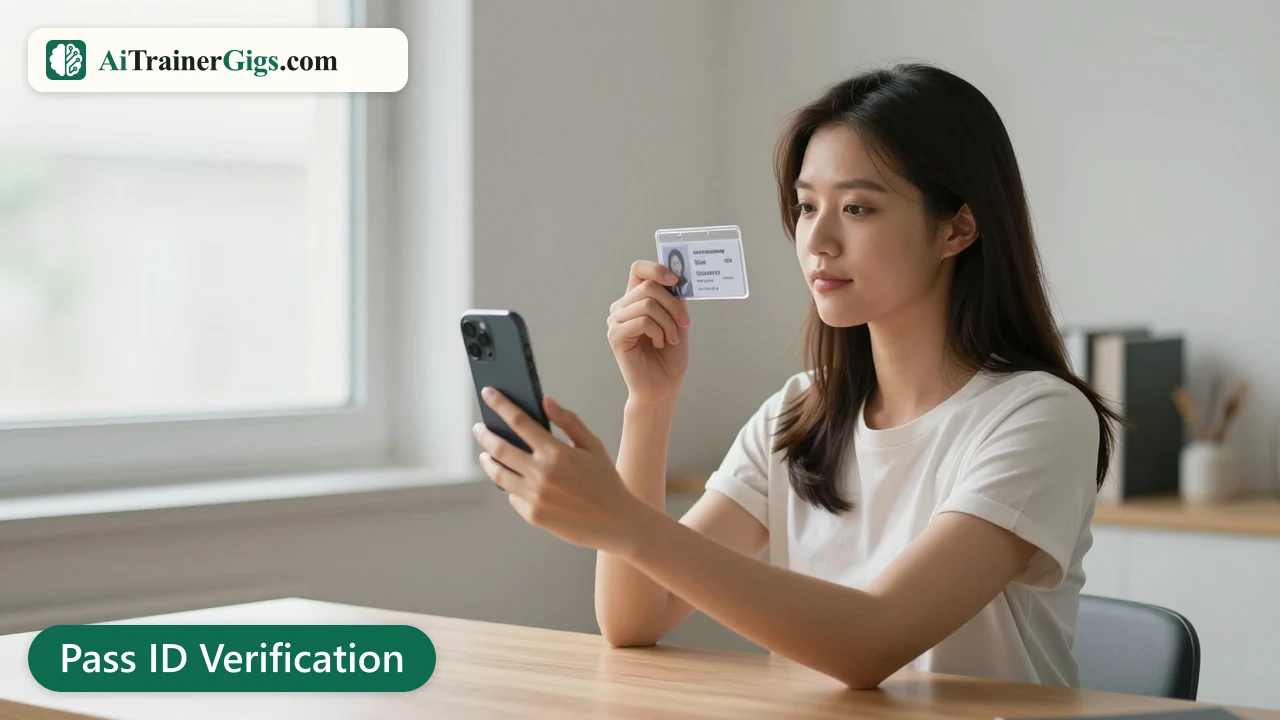
- Selfie / liveness check. You take a short selfie or video, often turning your head. This is a biometric face match against the ID photo, plus a check that a real person is in front of the camera and not a printed picture.
- Data match. The name, date of birth and country on the document get compared with what you typed into the platform. Some setups also look at your device and IP location.
Each part can pass or fail on its own. A clean document with a blurry selfie still fails.
When the check shows up: after a project match, and again on re-verification
On Alignerr, the help center says you're only asked to verify once you've been matched to a project. That's why so many people hit the check right after an interview or assessment, when they're excited and in a hurry. Some users also report a second round, a Persona re-verification, months later or when they log in from a new device.
Re-verification is where a lot of the strange removals happen, which I'll get to below.
Other AI training platforms that verify your ID (Outlier, DataAnnotation, Handshake AI, RemoExperts, Mercor)
Alignerr isn't special here. Outlier asks for ID during onboarding, and "Outlier identity verification unsuccessful" is one of the most common error messages people post about. DataAnnotation, Handshake AI, RemoExperts and Mercor also confirm identity at some stage before you're paid or put on paid work. The vendor and the exact steps differ, but the failure reasons are almost identical across all of them, so everything in this guide applies broadly.
Why Accounts Get Removed Right After a "Successful" Persona Check
This is the part nobody explains well. Your Alignerr Persona verification showed a success screen, so how can you be removed seconds later?

The verification passed, but a separate fraud or eligibility rule failed
Persona's "success" usually means one thing: the document looked genuine and the face matched. It doesn't mean the platform accepted you. After that result comes back, the platform runs its own checks, and those are the ones that trigger an automated removal email.
Persona's own help pages make the same point in a different way. Persona can't override a business's decision. It only supplies the result. So when you get an Alignerr account removed after verification, the decision came from Alignerr's rules, not from Persona.
Duplicate-account and duplicate-ID flags
This is the most likely cause in the threads I read. One r/alignerr post from October had 22 comments, and several people suspected a duplicate-ID flag: the same document had already been linked to another account, or the system thought it had.
How does that happen to honest people?
- You signed up years ago with an old email and forgot.
- You started onboarding twice (once on phone, once on laptop) and the system created two records.
- A family member used the same device or network to apply.
- You verified once, then re-verified with a renewed passport that has a new number. One commenter in that thread had renewed their passport since their first verification and believes that's what tripped the flag.
Name, date-of-birth or country mismatch with your profile
The data match is strict. "Mohammed" on your passport and "Mohamed" on your profile is a mismatch. So is a missing middle name, a swapped day and month in your date of birth, or a profile country that doesn't match the country that issued your document.
A lot of these slip in because people fill the profile fast, from memory, on a phone keyboard.
VPN, proxy or location mismatch (IP country vs. ID country)
Platforms compare where you seem to be (your IP address) with where your ID says you're from and where your profile says you live. A VPN or proxy can make you look like you're in a different country. To a fraud system, a Kenyan passport, a US profile address and a German IP looks exactly like account-farming.
There's a whole r/Kenya thread asking for an "undetectable VPN for AI training jobs". I get why people ask. But that thread is also a good explanation of why platforms flag VPN use so aggressively: account reselling and location spoofing are real problems, and the systems are tuned to catch them.
Re-verification with a renewed or different document
Persona re-verification can fail even when nothing is wrong with you. One user said the same passport that passed the first time suddenly failed on re-verification. Another had switched documents. The safest approach is to re-verify with the same document you used originally, as long as it hasn't expired, and to tell support upfront when you've renewed it.
Plain system glitches (device switch mid-flow, refresh, stuck "pending")
Some removals are just bugs. In the "Persona Re-Verification Glitch" thread from November, the user verified on their phone, refreshed the page on their PC, and got locked out instantly. Over on r/DataAnnotationTech, someone's verification sat on "pending" for more than an hour after their acceptance email.
Glitches are annoying, but they're also the easiest removals to get reversed, because a human reviewer can see straight away that nothing suspicious happened.
Persona Verification Failed? The Most Common Reasons
Sometimes you don't even reach the success screen. Persona verification failed messages almost always come down to one of these.
Glare, blur or cropped edges
Overhead lights bounce off laminated cards and passport pages. If any text is washed out, or one corner is cut off, the document read fails. All four edges have to be visible.
A photo of a photo, or a screenshot
Alignerr's help center is clear that photos of photos aren't accepted. Neither are scans, photocopies or a picture of your ID on another screen. Persona expects a live capture of the physical document.
Expired, temporary or paper ID
Expired documents fail. Temporary paper licences and paper receipts for a renewal usually fail too, because they lack the security features the system looks for.
Unsupported document type or country
Not every document is accepted everywhere. Student cards, work badges and some residence documents aren't on the list. Some countries also aren't supported by the platform at all, regardless of the document.
Webcam instead of phone camera
Laptop webcams are low-resolution and fixed-focus. They struggle with small text and security patterns. A phone camera is almost always better.
Selfie lighting, glasses or a hat
A bright window behind you, a dark room, tinted glasses, a cap or a face mask can all break the face match. Your face needs to look like your ID photo, evenly lit.
How to Pass AI Training ID Verification the First Time (Step-by-Step Checklist)
Most AI training ID verification problems are avoidable with ten minutes of prep. Here's the checklist I'd follow.

Before you start: match your profile to your ID exactly
Open your platform profile and your document side by side. Check:
- Full legal name, spelled and ordered the way the document shows it, including middle names.
- Date of birth, in the right day/month order.
- Country of residence and nationality.
Fix anything that differs before you start the check, not after. A name change after a failed verification looks suspicious to a fraud system.
Pick the right document for your country
A valid passport is the safest choice for most people because it's accepted almost everywhere. A driver's license or national ID card works on many platforms, but check the platform's accepted-documents list first. Make sure the document won't expire in the next few weeks.
Turn off VPNs and proxies, and verify from where you actually live
Disconnect any VPN, proxy, "privacy" browser extension or work network that routes your traffic elsewhere. Do the check from home, on your normal internet. The aim is simple: your IP location, your profile and your document should all tell the same story.
Use your phone, good light and a plain background
- Place the ID on a dark, plain surface.
- Use daylight from the side, not from above, to cut glare.
- Hold the phone steady and parallel to the document.
- For the selfie, face the light, take off glasses and hats, and keep a neutral expression like your ID photo.
Finish the flow on one device without refreshing
Many flows let you start on a computer and finish on your phone with a QR code. That's fine, but once you've switched, stay there. Don't refresh, don't hit back, don't open the link in a second tab, and don't close the browser untill you see the final confirmation. The re-verification glitch thread is a good warning here.
One account, one identity: never sign up again with a new email
This one matters most. When verification fails, the temptation is to create a fresh account and try again. Don't.
On r/outlier_ai, a user whose identity verification was unsuccessful made a second account, and commenters warned straight away that multiple accounts get you banned. Every platform I know treats duplicate accounts as fraud. A second account doesn't give you a second chance. It turns a fixable failure into a permanent one.
Never borrow someone else's ID, never "rent" a verified account, and never pay anyone who offers to verify for you. These are the fastest ways to get banned, and some of those offers are scams designed to steal your documents.
What to Do If You Were Removed After Verification
So the damage is done. Here's the order I'd work in after a failed or reversed Alignerr Persona verification.
Step 1: Save the removal email and your Persona confirmation
Screenshot or save everything before it disappears:
- The removal email, with date and time.
- Any Persona confirmation screen or email.
- Your registered email address and any user or candidate ID.
- Details of any work you completed before removal.
You'll need these for every message you send.
Step 2: Contact the platform, not Persona
Persona can't reverse a platform's decision, so writing to Persona won't get your account back. Go to the platform.
For Alignerr, the support address listed on its help center is support@alignerr.com, and the help center also says Persona verification resets go through support. The catch, as one 22-comment thread showed, is that the support bot sometimes says "appeal from your dashboard" when your dashboard is already gone. In that case, reply to the bot explaining you no longer have dashboard access, and email support directly with your registered email.
For other platforms, use the support form or help center inside the platform's own website. Don't hunt for email addresses on random forums.
Step 3: Write a short, factual Alignerr appeal (template included)
A good Alignerr appeal is short, calm and specific. Reviewers handle a lot of tickets, so make yours easy to approve. Here's a template you can adapt:
Subject: Account removed after successful Persona verification – [your registered email]
Hi Alignerr Support,
My account ([registered email]) was removed on [date] right after I completed Persona verification successfully. I have one account only and verified with my own [passport / ID] issued by [country]. [Optional: I renewed this passport on [date] / I switched devices during verification / my verification showed a glitch.]
Could you please review my account manually? I'm happy to re-verify or provide any extra details you need.
Thank you, [Full legal name]
Keep emotion out of it. Don't threaten, don't send ten messages, and don't attach your ID unless they ask for it.
Step 4: Use the community channels (official subreddit / Discord mods)
Official community spaces can help. In the November r/alignerr thread about being removed right after a successful Persona check, a helper in the thread asked people to DM their registered email, and several later replies said their issue had been resolved. That's not guaranteed, and it isn't an official process, but it shows that removals do get reviewed and reversed.
Only share details with verified moderators or official staff accounts, and never share your ID document or password in a DM.
Step 5: Get paid for work you already did
Removal doesn't cancel money you already earned. Did you complete tasks before the removal? Say so in your ticket and ask how outstanding payments will be handled. Keep your payment account (PayPal, Stripe or similar) open and linked untill that's settled.
When to stop and move on
Give the appeal a fair chance. Follow up once or twice, politely, over a couple of weeks. A UK user on r/alignerr whose eVisa failed was removed even though support had fixed the same issue for them once before, so persistence sometimes works.
But don't put your whole income plan on one platform. While you wait, apply elsewhere. My list of the best AI training platforms is a good place to start, and it's worth reading up on is Alignerr legit to decide how much time to keep investing in it.
Special Cases
Some situations fail more often than others. Here's how to handle the common ones.
Passports used outside the issuing country
On r/outlier_ai, one user failed because their passport wasn't issued in the country they were physically in. Some projects are open only to residents of specific countries, so the check compares your document country with your location. Do you live abroad? Make sure your profile lists your actual country of residence, and have proof of residency ready (a residence permit or local ID) for support.
UK eVisa / BRP and other digital-only documents
Digital-only status documents are hard for document scanners, because there's often no physical card to photograph. The UK eVisa/BRP thread on r/alignerr is a good example: several attempts failed and the account was removed. Use your passport for the Persona check where you can, and keep your eVisa share code or proof of right to work ready in case support asks for it.
Name changes, transliterated names and middle names
Married names, legal name changes and names transliterated from other alphabets cause alot of mismatches. Use your name exactly as printed in the Latin-alphabet section (the machine-readable lines) of your passport. When your profile name and document name have to differ, explain it to support before you verify, not after.
Countries the platform doesn't support
Some platforms only take contractors from certain countries, and some projects are limited further. A Persona pass won't help if your country isn't eligible. Check the project's requirements first. A VPN won't fix this; it'll just get the account flagged.
Is It Safe to Give Your ID to AI Training Platforms?
For legitimate platforms, yes, it's a normal step. Identity checks are standard for contractor work that pays out, and Persona is a widely used verification provider. The bigger risk is handing your ID to someone pretending to be a platform.
What Persona stores and for how long
Persona processes your ID image, selfie and extracted details (name, date of birth, document number) on behalf of the platform. How long that data is kept depends on the platform's agreement and local privacy laws. Read the consent screen before you start, and check the platform's privacy policy for its retention terms.
How to spot a fake "verification" request from a scammer
Real verification happens inside the platform's own website or app, after you've applied, through a flow you started yourself. Be suspicious of:
- ID requests by email, WhatsApp, Telegram or Discord DM.
- "Recruiters" asking you to send a photo of your ID directly.
- Anyone asking for a fee to "speed up" verification.
- Links to look-alike domains.
I've written a full breakdown on how to tell a real AI training job from a scam if you want to check a specific offer.
Asking for your data to be deleted
You can usually ask for your verification data to be deleted, especially if you live somewhere with strong privacy laws such as the EU or UK. Send a privacy or data deletion request to the platform, which controls the data, and mention that it was collected through Persona. Keep the request short and keep a copy of it.
Conclusion
A removal right after you passed verification feels unfair, and honestly, sometimes it is. But it's rarely random. Most cases come down to a duplicate flag, a small data mismatch, a VPN, a renewed document or a plain glitch, and most of those can be explained to a human reviewer.
Whether it's Alignerr Persona verification or an ID check on another platform, prepare before you verify: match your profile to your ID, use your phone in good light, switch off the VPN and finish on one device. Keep exactly one account. And if you've already been removed, save your evidence, write a short factual appeal to the platform, and keep applying elsewhere while you wait. Your time is worth more than one stuck ticket.
Disclaimer. I'm not affiliated with Alignerr or Persona. This guide is based on public help-center pages and community reports as of November 2026. Policies change, so always check the platform's own help center before acting.